How to Generate Your AC 132-S
Upload your receipts. AI reads them and auto-fills the NY State travel reimbursement form. Print and submit.
Step 1: Sign In
Go to getaiadmin.com/login.
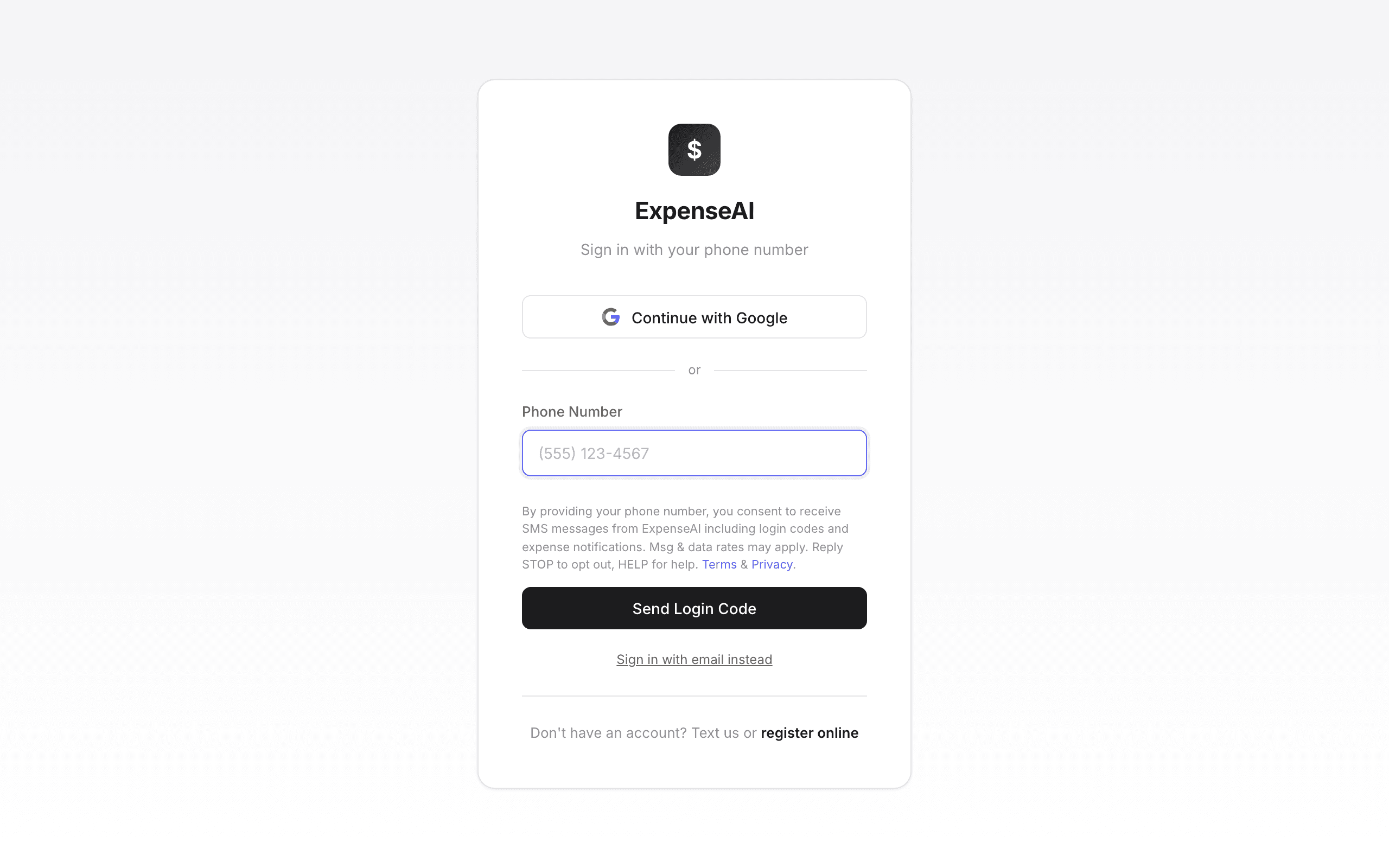
- Phone number (recommended) — enter your cell, get a 6-digit code by text, sign in. Account created automatically if new.
- Google — one-click sign-in.
- Email — if you registered with email/password.
Step 2: Complete Your Profile (One-Time)
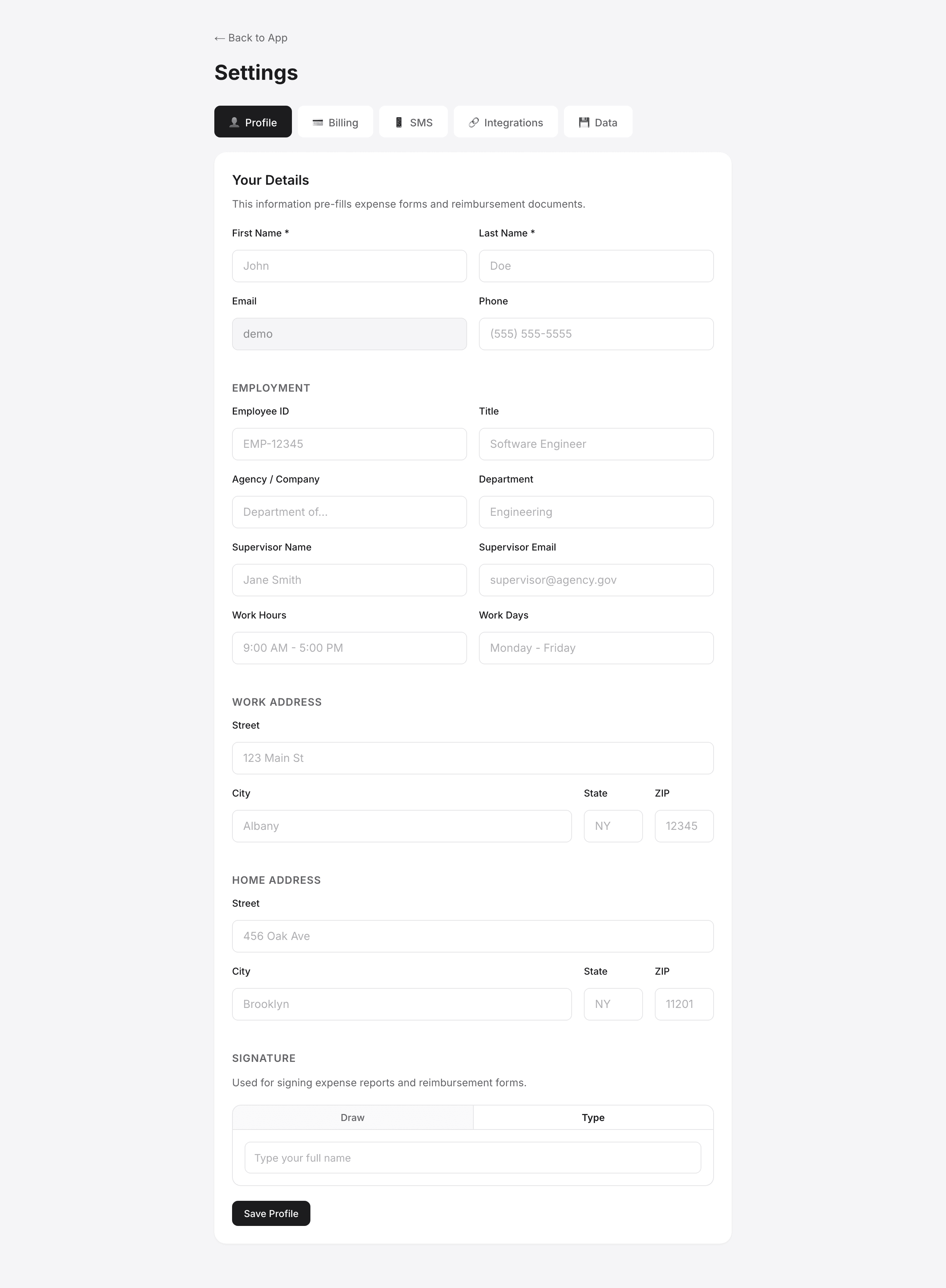
Your profile information auto-fills the AC 132-S header. This is a one-time setup — once saved, every future form is pre-filled.
Click the blue "Set Up Profile" banner on the Dashboard, or go to Settings.
What goes on the form:
| Field | Where it appears on AC 132-S |
|---|---|
| First & Last Name | Employee Name line |
| Employee ID | Employee ID field |
| Agency / Company | Agency field |
| Department | Department field |
| Title | Title field |
| Work Address | Used for mileage origin calculations |
| Home Address | Used for mileage origin calculations |
| Supervisor Name | Supervisor certification section |
| Supervisor Email | Optional: email copy of form to supervisor |
| Signature | Employee signature line (drawn or typed) |
Step 3: Click AC 132-S in the Sidebar
The AC 132-S tab is the second item in the left sidebar. Click it to start the 4-step wizard:
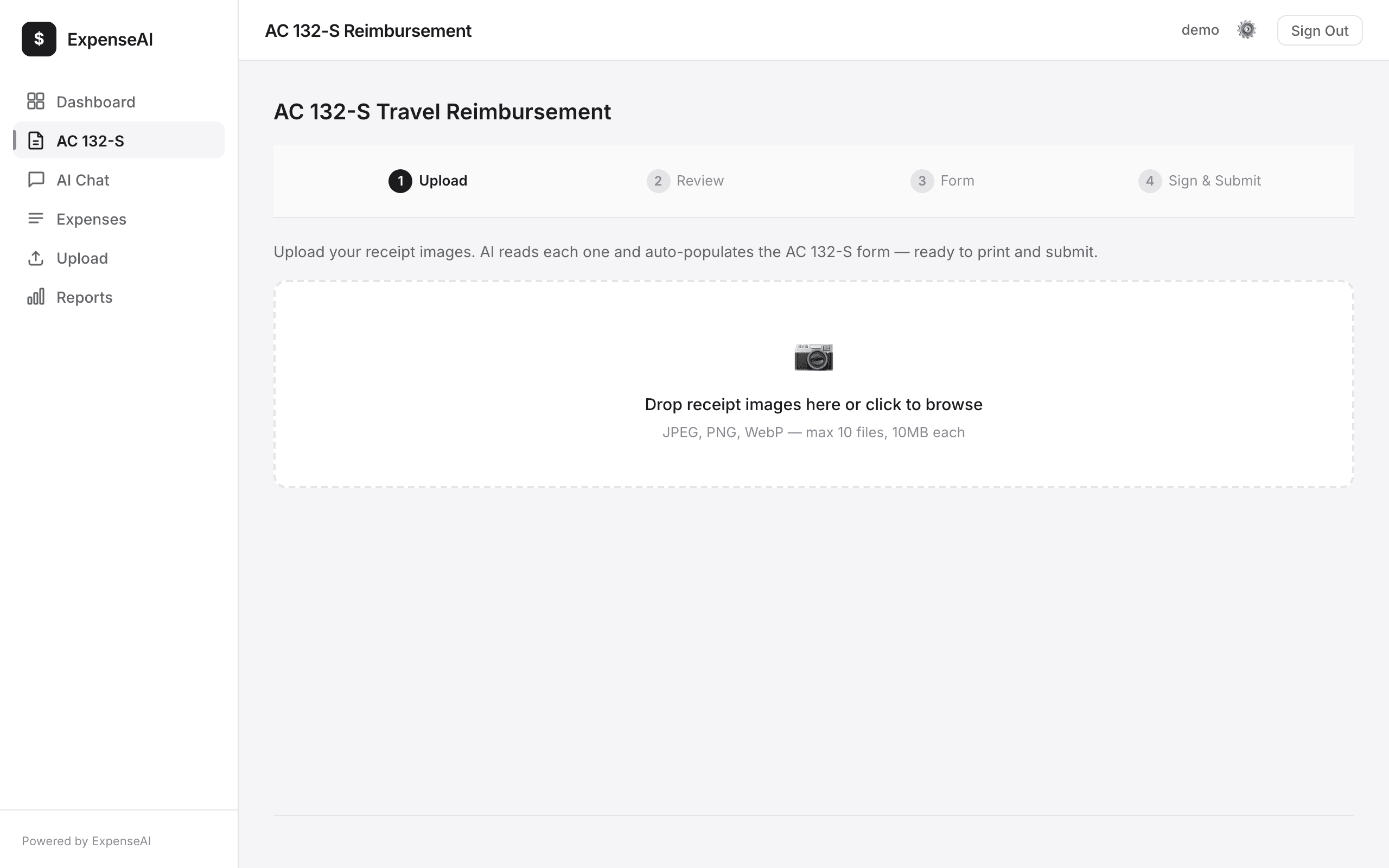
Upload Receipts
Drop your receipt photos (JPEG, PNG). Upload up to 10 at once. AI scans each one and extracts: vendor, date, amount, line items. If a receipt is hard to read, a more powerful AI model automatically re-processes it for better accuracy.
Review Expenses
Verify what AI extracted. Items the AI is unsure about are highlighted in amber with a "Confirm" button — review and confirm each one (or click "Confirm All"). Edit dates, amounts, or categories inline. If you've submitted a claim for this trip before, select it from the "Previous Trip" dropdown to auto-fill trip details.
Mileage & Per Diem
Enter miles driven (auto-calculated at the IRS rate for the expense date). Enter per diem meal counts. Deduct any advance received. See running totals.
Sign & Generate
Your profile auto-fills the form header. Draw or type your signature. Click Submit — PDF downloads and optionally emails to your agency.
Step 4: Upload Your Receipts
In the Upload step, drag and drop your receipt photos into the drop zone (or click to browse files).
- Accepts JPEG, PNG, WebP — max 10MB per file, up to 10 receipts at once
- Take clear, well-lit photos of the entire receipt — include the total at the bottom
- The AI reads: vendor name, date, total amount, individual line items, tax, tip
- Each receipt becomes an expense line on your AC 132-S
What the AI captures from each receipt:
| Vendor | Used in description (e.g., 'Marriott', 'Shell Gas Station') |
| Date | Expense date on form (asks you to confirm if ambiguous) |
| Total Amount | Dollar amount for that expense line |
| Category | Auto-categorized: Lodging, Meals, Transportation, etc. |
| Line Items | Individual items listed for audit trail |
Smart accuracy: auto-escalation
Each receipt is first scanned by a fast AI model. If the result comes back low-confidence (blurry photo, unusual format, handwritten), it's automatically re-processed by a more powerful model for higher accuracy. You don't need to do anything — it happens behind the scenes.
Flagged items
If the AI is still unsure about a date, amount, or vendor after scanning, the expense is flagged with an amber highlight in the Review step. You'll see:
- An amber banner: "X items need your review" with a Confirm All button
- Flagged rows highlighted with an amber border
- A description of what's unclear (e.g., "Multiple dates found", "Amount unclear")
- A Confirm button on each flagged row — click after verifying or editing the values
You cannot proceed to the next step until all flagged items are confirmed. This ensures every expense on your AC 132-S is accurate.
Step 5: Add Mileage & Per Diem
In the Form step, add expenses that don't have receipts:
Mileage
Enter total miles driven. For 2026 expense dates, the system calculates at $0.725/mile through June 30 and $0.76/mile beginning July 1. Example: 165 miles on July 1, 2026 × $0.76 = $125.40.
Per Diem Meals
Enter the number of days for each meal. NYS rates:
| Breakfast | $13.00 per day |
| Lunch | $15.00 per day |
| Dinner | $26.00 per day |
| Incidentals | $5.00 per day |
If your trip is 3 days, click "Fill all 3 days" to auto-populate all meals.
Advance Received
If you received a travel advance, enter the amount. It's deducted from the total claimed.
Step 6: Sign, Download, Submit
The Sign step shows your completed AC 132-S with all expenses, totals, and your profile info pre-filled.
- Draw your signature on the signature pad (or type it)
- Optionally enter your agency email — the PDF will be emailed directly
- Check "Send copy to myself" and/or "Send copy to supervisor"
- Click Submit — the PDF downloads automatically
- Print the PDF for physical submission, or email it to your finance office
Example: Complete Trip Reimbursement
Mike drives to Albany for a 3-day training conference. Here's his complete workflow:
Day 1: Travel Day (March 3)
- Drives 165 miles from office to Albany on July 1, 2026 — enters "165" in mileage field → $125.40
- NY Thruway toll — uploads toll receipt photo → AI reads $8.50
- Lunch at rest stop — uploads receipt → AI reads $15.00
- Dinner at hotel restaurant — uploads receipt → AI reads $26.00
Day 2: Conference (March 4)
- Per diem meals — selects "1 day" for breakfast ($13), lunch ($15), dinner ($26) → $54.00
- Hotel — uploads Marriott receipt for 2 nights → AI reads $378.00
- Parking garage — uploads receipt → AI reads $12.00
Day 3: Return (March 5)
- Per diem breakfast — selects "1 day" → $13.00
- Return toll — uploads receipt → AI reads $8.50
- Return mileage already included in Day 1 (round trip)
Generated AC 132-S
| Employee | Mike Revias — pre-filled from profile |
| Trip | Albany Training Conference, March 3-5 |
| Mileage | 165 mi × $0.725 = $119.63 |
| Meals (per diem) | $67.00 (2 days breakfast/lunch/dinner + 1 breakfast) |
| Meals (receipts) | $41.00 (Day 1 lunch + dinner) |
| Lodging | $378.00 |
| Transportation | $29.00 (tolls + parking) |
| Total Claimed | $630.50 |
PDF auto-downloads. Employee certification and signature included. Ready to print and submit to finance.
Also Available: AI Chat
You can also add expenses via the AI Chat tab by typing naturally:
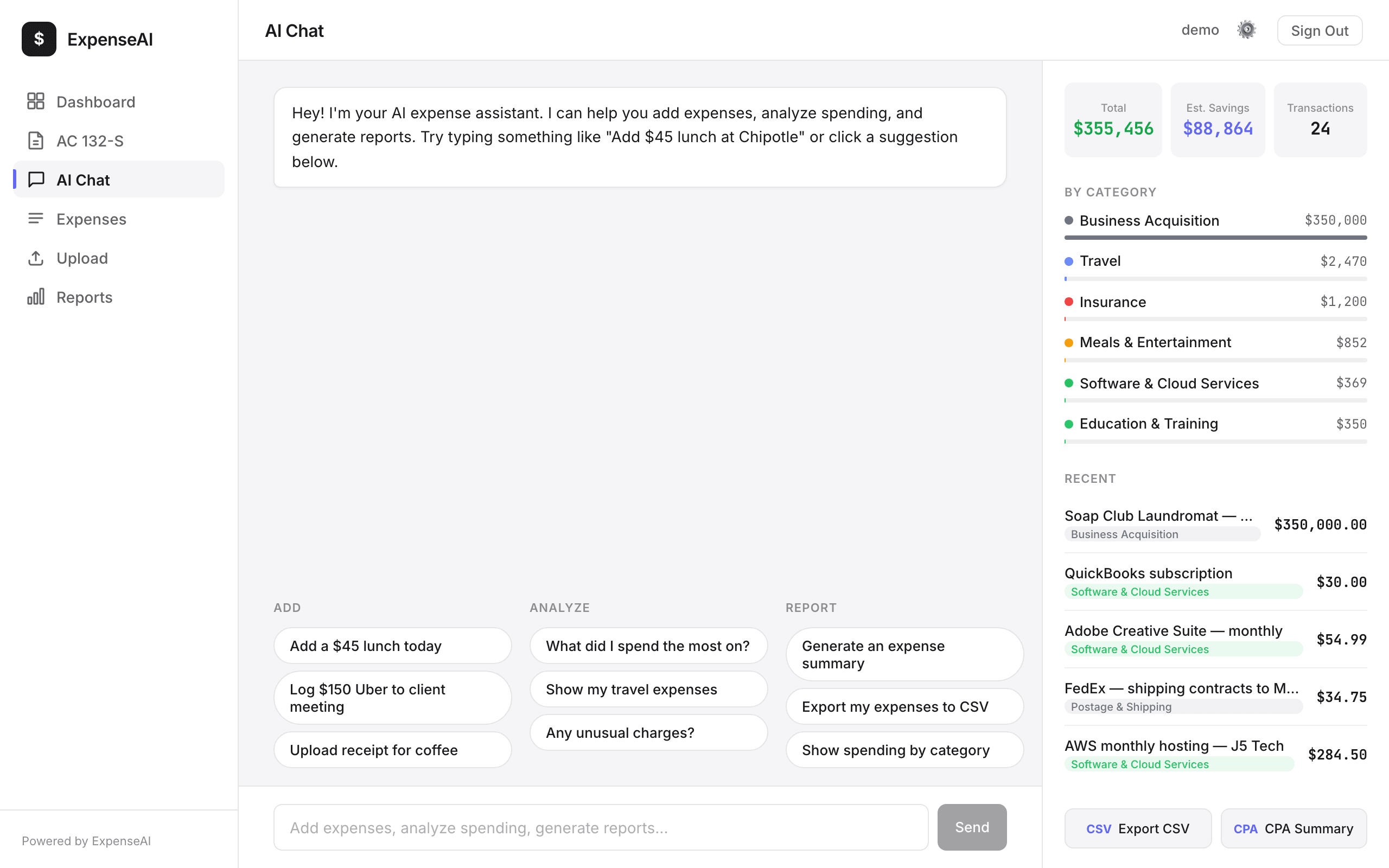
Expenses added via chat are saved to your account and can be included when generating the AC 132-S form. This is useful for adding expenses without receipt photos (tolls, parking meters, etc.).
Current Rates (2026)
| IRS Mileage Rate (2026) | $0.725 per mile through June 30; $0.76 per mile beginning July 1 |
| Breakfast Per Diem | $13.00 |
| Lunch Per Diem | $15.00 |
| Dinner Per Diem | $26.00 |
| Incidentals | $5.00 |
| Lodging (varies) | ~$150/night (location dependent) |
Rates based on NYS OSC guidelines and IRS standard mileage. Lodging varies by county.
Questions? Email support@getaiadmin.com